Desktop-Reminder has stopped working if AVG-Antivirus is active
New: After retesting on 19th Nov 2016 the following error could not be reproduced. AVG seems to fix the bug in their antivirus program.
Since August 2015, after an update of AVG-Antivirus, Desktop-Reminder crashes during text typing if AVG is active. The following error message is shown in this case:
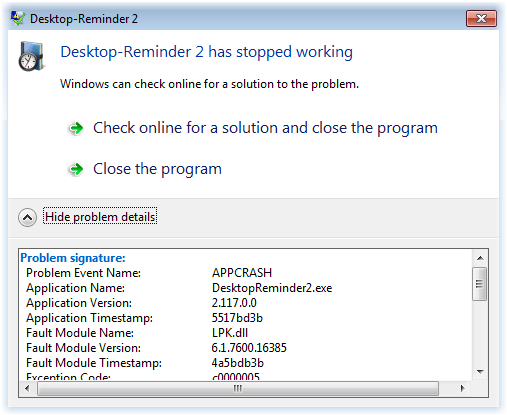
Problem signature: Problem Event Name: APPCRASH Application Name: DesktopReminder2.exe Application Version: 2.117.0.0 Application Timestamp: 5517bd3b Fault Module Name: LPK.dll Fault Module Version: 6.1.7600.16385 Fault Module Timestamp: 4a5bdb3b Exception Code: c0000005 Exception Offset: 000028de OS Version: 6.1.7600.2.0.0.256.1 Locale ID: 1033 Additional Information 1: 0a9e Additional Information 2: 0a9e372d3b4ad19135b953a78882e789 Additional Information 3: 0a9e Additional Information 4: 0a9e372d3b4ad19135b953a78882e789
Solution Desktop-Reminder must be added to the exception list of AVG-Antivirus. Please follow these steps to achieve this:
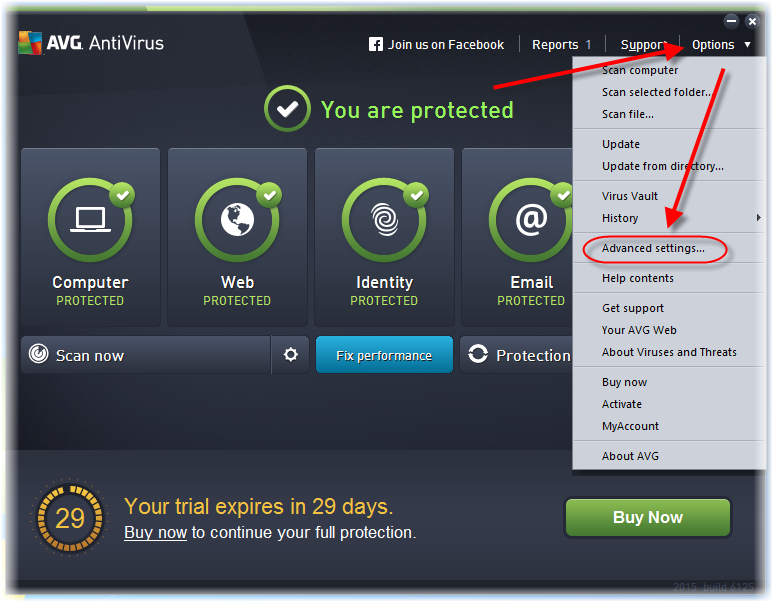
- Open AVG
- Options
- Advanced settings
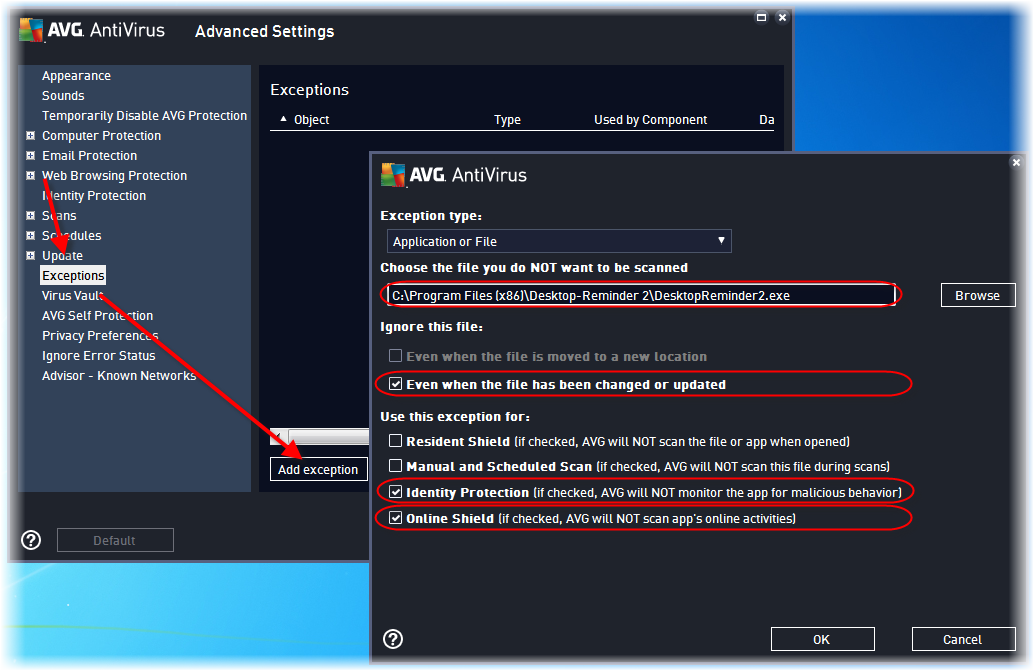
- Exceptions
- Add exception
- Exception type: Application or File
- The filename: "C:\Program Files (x86)\Desktop-Reminder 2\DesktopReminder2.exe" or "C:\Program Files\Desktop-Reminder 2\DesktopReminder2.exe"
- Mark "Even when the file has been changed or updated"
- Mark "Identity Protection"
- Mark "Online Shield" (for enabling automatic updates)
- Exit Desktop-Reminder (File->Exit) and restart it.